 admin
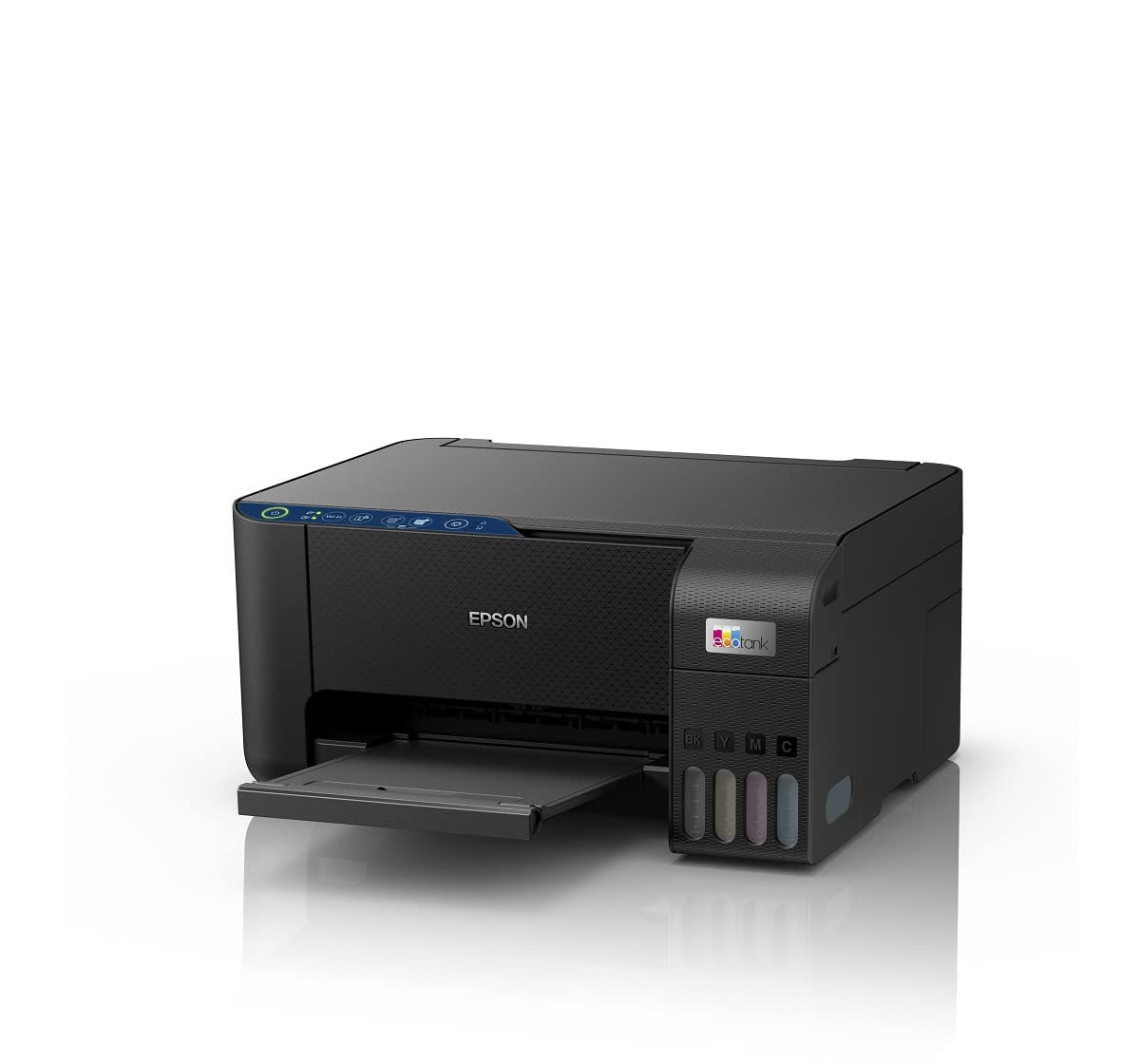
admin Looking for a reliable, cost-effective, and high-quality Wi-Fi printer that keeps your printing expenses low and productivity high? The Epson EcoTank L3252 Wi-Fi All-in-One Ink Tank Printer (Black) is an exceptional choice for homes and small offices. This all-in-one device offers wireless convenience, outstanding print quality, and an ultra-low-cost ink system that saves you up to 90% on ink compared to traditional cartridges.
What Makes the Epson EcoTank L3252 Stand Out?
The Epson EcoTank L3252 is not just a printer — it’s a smart printing solution designed for efficiency and affordability.
-
All-in-One Functionality: Print, scan, and copy from one compact device without juggling multiple machines.
-
Wireless Freedom: Enjoy seamless Wi-Fi connectivity and mobile printing via the Epson Smart Panel app or Wi-Fi Direct.
-
High-Yield, Refillable Ink Tanks: Print thousands of pages with hassle-free ink bottle refills instead of replacing cartridges.
-
Vibrant Print Quality: Produce sharp text documents and vivid photos with Epson’s Micro Piezo technology.
-
Eco-Friendly Printing: Reduce plastic waste by using refillable ink bottles, lowering your environmental impact.
Save Big with Epson Original Ink Bottles
The EcoTank system uses specially formulated Epson Original Ink Bottles that offer incredible page yields:
-
Up to 4,500 pages in Black & White
-
Up to 7,500 pages in Color
This means fewer refills, less downtime, and significant cost savings over time.
Ensure your printer performs at its best and lasts longer by using genuine Epson ink bottles. Grab your official Epson Original EcoTank L3252 ink bottles here → Buy Now on FKTR
Epson EcoTank L3252 Specifications
-
Print Type: Micro Piezo Inkjet Technology
-
Printing Resolution: Up to 5760 x 1440 dpi
-
Functions: Print, Scan, Copy
-
Connectivity: Wi-Fi, Wi-Fi Direct, USB 2.0
-
Ink Tank Capacity: Up to 4,500 black pages, 7,500 color pages
-
Paper Size: Up to A4, 100 sheets capacity
-
Dimensions: 375 x 347 x 179 mm
-
Weight: Approx. 3.9 kg
Wireless Printing Made Simple
Tired of messy cables and complicated setups? The L3252 makes wireless printing a breeze. Connect your laptop, smartphone, or tablet effortlessly over Wi-Fi or Wi-Fi Direct—with no router needed.
The Epson Smart Panel app lets you:
-
Monitor ink levels easily
-
Troubleshoot issues remotely
-
Print photos and documents directly from your device
Whether you're working remotely or printing school projects, the L3252 keeps you productive anywhere in your home or office.
Epson EcoTank L3252 Specifications at a Glance
| Feature | Details |
|---|---|
| Printing Method | Micro Piezo Inkjet Technology |
| Print Resolution | Up to 5760 x 1440 optimized dpi |
| Functions | Print, Scan, Copy |
| Connectivity | Wi-Fi, Wi-Fi Direct, USB 2.0 |
| Ink Tank Capacity | Up to 4500 pages black, up to 7500 pages color with included bottles |
| Mobile Printing Support | Epson Smart Panel, Apple AirPrint, Mopria |
| Paper Handling | Rear feed tray, up to A4 size, 100 sheets capacity |
| Dimensions (W x D x H) | 375 x 347 x 179 mm |
| Weight | Approx. 3.9 kg |
How Much Does Epson EcoTank L3252 Cost Per Page?
The Epson EcoTank L3252 delivers extremely low printing costs per page. On average, the cost is about 9 paise per black-and-white page and 24 to 33 paise per color page when using genuine Epson ink bottles. This ultra-low cost is calculated based on the standard quoted page yield of approximately 4,500 black pages and 7,500 color pages per full ink set.
Cost Per Page Overview
| Type of Print | Cost per Page (INR) |
|---|---|
| Black & White | 0.09 (9 paise) |
| Color | 0.24-0.33 (24-33 paise) |
Actual costs may vary slightly depending on print coverage, print settings, and the price of ink bottles at the time of purchase, but the L3252 remains one of the most economical choices for home and office printing.
Epson EcoTank L3252 vs. Epson L3250: Which is Better?
Many ask, “Which is better, Epson L3250 or L3252?” The major difference lies in wireless connectivity:
| Feature | Epson L3250 | Epson L3252 |
|---|---|---|
| Wi-Fi Connectivity | No | Yes |
| Print Quality | Similar Micro Piezo Technology | Similar Micro Piezo Technology |
| Price | Slightly lower | Slightly higher due to Wi-Fi feature |
| Ideal Use | Basic wired home printing | Wireless home or office setup |
For users who want wireless convenience, Epson L3252 is the better choice.
Epson EcoTank L3252 vs. Competitors
| Feature | Epson EcoTank L3252 | Canon PIXMA G3000 | HP Smart Tank 530 |
|---|---|---|---|
| Print Technology | Micro Piezo Inkjet | Ink Tank | Ink Tank |
| Print Resolution | 5760 x 1440 dpi | 4800 x 1200 dpi | 4800 x 1200 dpi |
| Print Speed | 10.5 ppm (black), 5 ppm (color) | 8.8 ppm (black), 5 ppm (color) | 11 ppm (black), 5 ppm (color) |
| Functions | Print, Scan, Copy | Print, Scan, Copy | Print, Scan, Copy |
| Connectivity | Wi-Fi, Wi-Fi Direct | USB only | Wi-Fi, USB |
| Ink Yield (Black) | Up to 4,500 pages | Up to 6,000 pages | Up to 6,000 pages |
| Cost per Page | Very Low (EcoTank advantages) | Low | Low |
Epson EcoTank L3252 shines with wireless connectivity and a strong balance of print quality, function, and cost-efficiency.
Alternative Printer Options: Epson EcoTank L3211 and HP Smart Tank
-
The Epson EcoTank L3211 offers similar print quality but lacks Wi-Fi, targeting budget buyers
-
HP Smart Tank printers provide competitive ink tank technology with Wi-Fi, but Epson’s page yield is usually higher for black and color prints
Frequently Asked Questions (FAQs)
Q1: How often do I need to refill the ink tanks?
A: With included ink bottles, you can print up to 4,500 black pages or 7,500 color pages. Refills usually last several months depending on usage.
Q2: Is the Epson L3252 easy to set up for Wi-Fi printing?
A: Yes. The printer supports Wi-Fi Direct allowing connection without a router, and the Epson Smart Panel app guides through setup.
Q3: Can I print directly from my smartphone?
A: Absolutely. The Epson Smart Panel app, Apple AirPrint, and Mopria support makes mobile printing seamless.
Q4: Are Epson Original Ink Bottles necessary?
A: Using original bottles ensures the best print quality and longevity of your printer, preventing clogs and damage.
Q5: Does the printer support scanning and copying?
A: Yes, it is a true all-in-one device supporting print, scan, and copy functions.
Q6: Where can I download the Epson EcoTank L3252 driver?
A: Download the latest driver from Epson’s official support page or trusted download portals by searching “Epson EcoTank L3252 driver download.”
Q7: What is the price of Epson EcoTank L3252 on Flipkart?
A: Prices vary; check Flipkart for current deals by searching “Epson L3252 printer price Flipkart.”
Q8: Does Epson L3252 print in color?
A: Yes, it prints high-quality color documents and photos.
Q9: How do I set up Epson L3252 Wi-Fi?
A: Use the Epson Smart Panel app or Wi-Fi Direct to connect your device easily. Follow on-screen instructions for seamless setup.
Q10: How much does Epson EcoTank L3252 ink cost?
A: Ink prices are very affordable with refill bottles costing less than traditional cartridges, providing a very low cost per page.
Final Thoughts
The Epson EcoTank L3252 Wi-Fi All-in-One Ink Tank Printer is a smart, budget-friendly, and eco-conscious choice for anyone needing versatile, high-quality printing at a low running cost. Its wireless capabilities, excellent ink yield, and all-in-one features make it perfect for home, school, or small offices.
Don’t miss out on the savings and convenience — get yours today and experience hassle-free printing like never before!
Where to Buy Epson EcoTank L3252 and Ink Bottles
-
Buy the Epson EcoTank L3252 Wi-Fi All-in-One Ink Tank Printer (Black) here → Amazon Link
-
Get original Epson ink bottles for best performance → FKTR Link